
Press the DPI button (Fig. 02), the backlight will change colors indicating the corresponding DPI speed (Fig. 02).
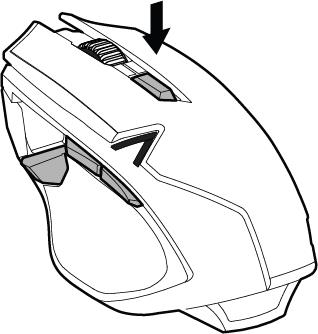
Fig. 01 / Aventa DPI Button.
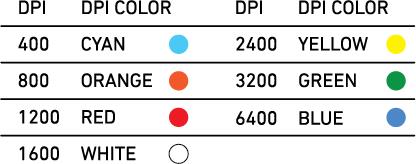
Fig. 02 / Aventa DPI Setting
Support
Press the DPI button (Fig. 02), the backlight will change colors indicating the corresponding DPI speed (Fig. 02).
Fig. 01 / Aventa DPI Button.
Fig. 02 / Aventa DPI Setting
Comments
Article is closed for comments.